สำหรับ ปุ่มควบคุม (Control) ต่างๆใน Junk Jack นั้น เป็นอย่างแรกที่เราควรศึกษาก่อนที่เราจะเริ่มเล่นเกม โดยเราสามารถตั้งค่าและดูปุ่มควบคุมต่างๆได้ โดยเข้าไปที่ OPTIONS จากนั้นคลิกไปที่ GAMEPLAY และเลือกที่ Controls สำหรับการตั้งค่าตั้งต้นของปุ่มควบคุมมีรายละเอียดดังนี้...
Junk Jack
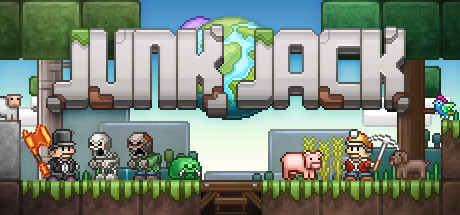
Make the world truly yours in Junk Jack, a relaxing sandbox experience focused on building and improving your home. Discover new planets, tame and breed creatures, cook foods, collect animal companions, farm exotic plants, collect fish, grow flowers, play with your friends!
Warning: Undefined variable $PostCount in /home/playcoop/thaigameguide.com/old/wp-content/themes/gttheme/archive.php on line 34
Warning: Undefined variable $postcount in /home/playcoop/thaigameguide.com/old/wp-content/themes/gttheme/archive.php on line 52
รวมคลิป ตัวอย่างเกม (Trailer) ของเกม Junk Jack ตัวอย่างเกมที่คุณได้รับชมนี้ เป็นคลิปตัวอย่างเกมอย่างเป็นทางการ ซึ่งผลิตโดย ทีมพัฒนาเกม (Developer) หรือ ผู้จัดหน่ายเกม
สำหรับความต้องการของระบบ (System Requirement) ของเกม Junk Jack นั้น มีดังนี้ครับ ความต้องการขั้นต่ำ (Minimum specifications) บน Windows OS: Windows 7...


